

A system can be running and still expose more access and services than it needs. An infrastructure security hardening checklist helps reduce that exposure by identifying unnecessary programs, applications, and access points across your systems and IT infrastructure. Hardening then secures the components that remain, from network access to configuration settings.
Hardening involves more than applying a standard operating-system baseline. Cloud platforms and security products have vendor-specific settings, and a configuration that works in one environment may not suit another. A useful review connects baseline recommendations to the systems, services, and access paths your organization actually relies on.
This article explains system hardening and how to review network access, security baselines, and vendor-specific settings. You’ll find a practical checklist for identifying unnecessary exposure, applying consistent configurations, and documenting changes. This makes hardening an ongoing part of operating reliable systems, rather than a one-time task.
Key Takeaways
- System hardening reduces exposure by removing unnecessary components and tightening the settings that remain across operating systems.
- Review network access, firewall rules, ports, and management pathways to limit connections to those the environment needs.
- Use security baselines as a starting point, then account for the distinct configuration controls of each cloud platform and security product.
- When infrastructure needs a deeper review, cloud infrastructure configuration and security hardening can help align settings with production requirements.
What is system hardening?
System hardening reduces an environment’s attack surface by removing unnecessary software, services, accounts, and access points. Every remaining component should have a defined purpose, a controlled configuration, and only the permissions it needs to operate. An infrastructure security hardening checklist helps make these decisions consistent and reviewable across Linux, Windows, and macOS, rather than relying on defaults that may not fit.
The goal is not to make every operating system identical. Linux servers, Windows workstations, and macOS devices have different administration tools and configuration controls. Apply a suitable baseline to each operating system, then document approved exceptions so teams can distinguish deliberate settings from configuration drift.
- Linux: Remove unused packages and disable unnecessary services, then restrict accounts and file permissions. Confirm package sources and versions before applying updates, since untrusted or unexpected packages can introduce risk.
- Windows: Apply operating-system updates, remove unused components, and review local accounts and sharing permissions. Configure file-system and registry permissions so standard users and applications receive only the access their tasks require.
- macOS: Review installed applications, background services, user accounts, and sharing settings. Remove software the device no longer needs, limit privileges, and keep system updates enabled according to the organization’s maintenance process.
- All platforms: Establish a recorded configuration baseline, including approved services, permissions, and update settings. Logging activity and errors helps teams identify unexpected changes and investigate suspicious system behavior.
- Updates and packages: Maintain a patch policy for operating systems and applications, and apply necessary updates automatically when appropriate. Check package origin and version against approved sources before deployment to reduce the chance of installing altered or unintended software.
Make checks specific to each system’s role. A server, for example, may need a service that a general-purpose workstation does not. Removing it without checking dependencies could disrupt legitimate traffic or applications. Record the reason for each exception, monitor configuration changes, and revisit the baseline as software and system roles change.
Network protocols, ports, and management access
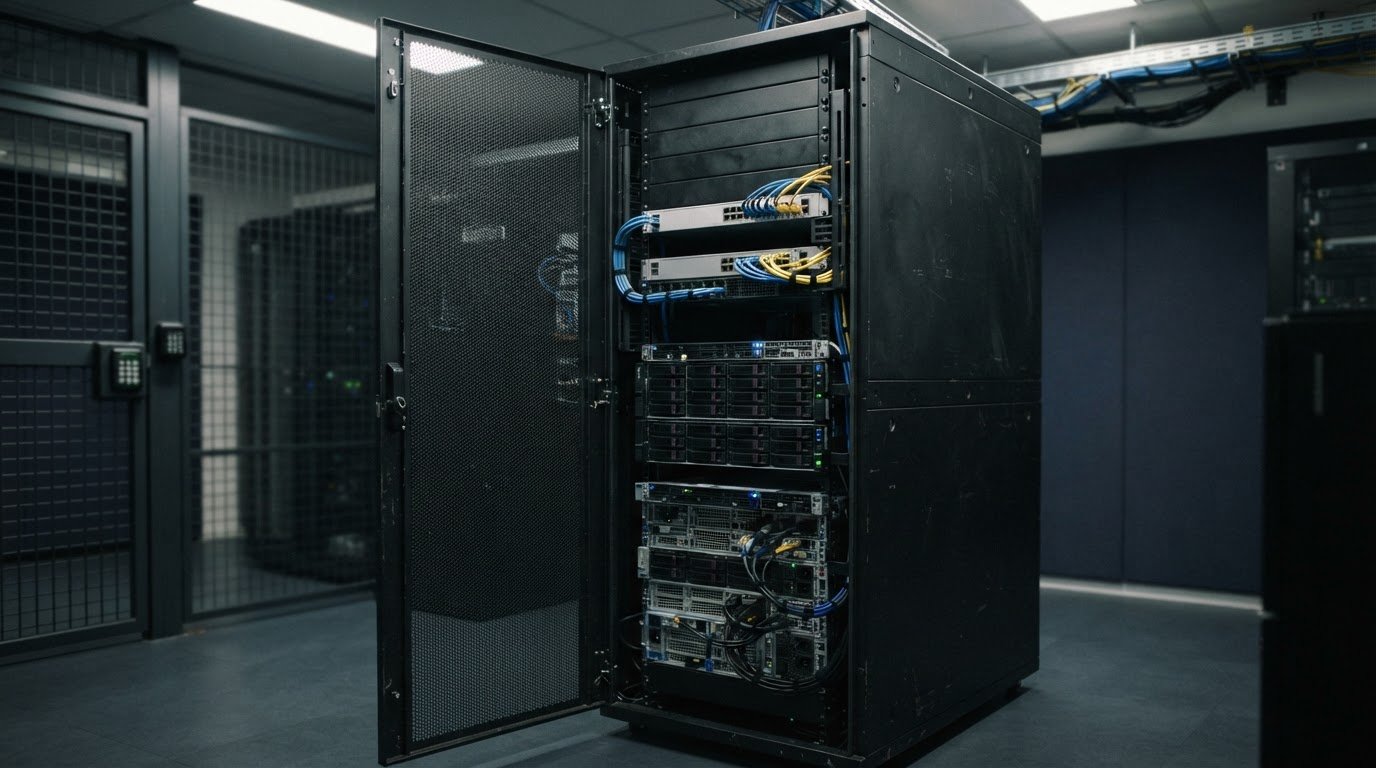
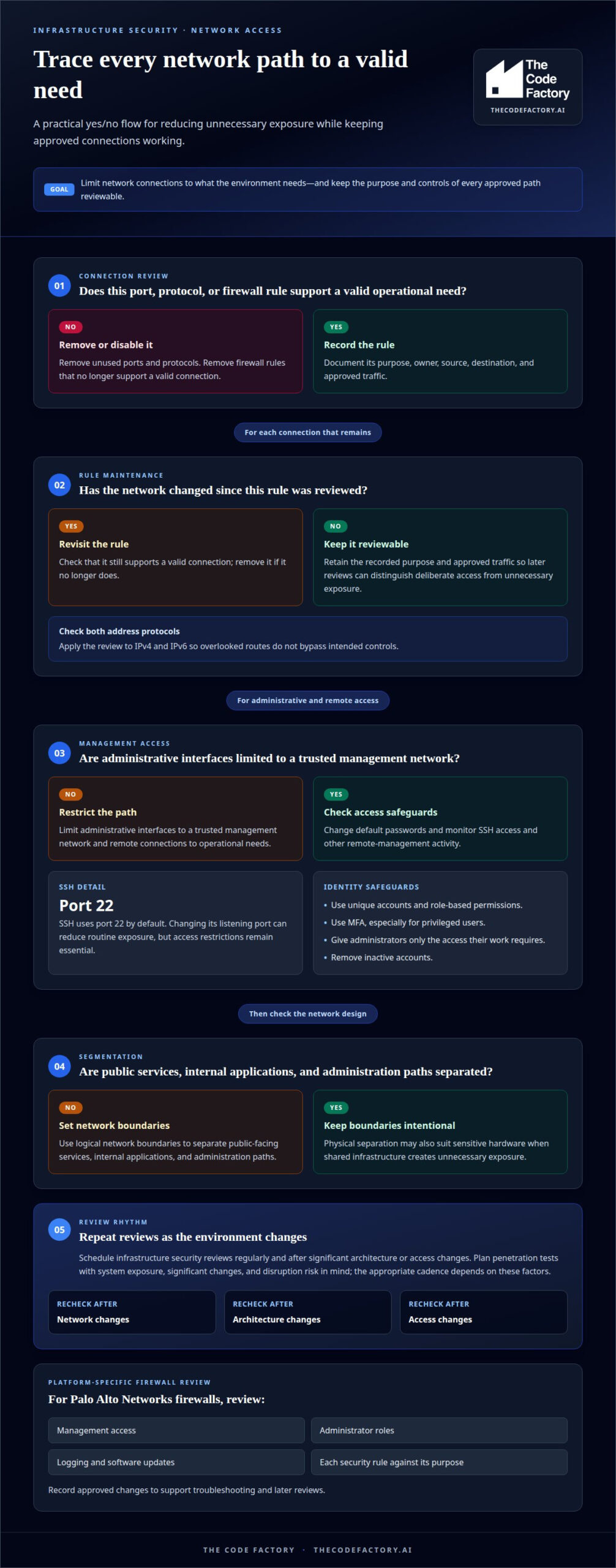
Review network paths as a connected system, including physical hardware, logical segments, protocols, firewall rules, and management access. Remove unused ports and protocols, limit remote connections to operational needs, and encrypt traffic between systems. Broad access rules can expose services to users who should not reach them.
For each firewall, record the rule’s purpose, owner, source, destination, and approved traffic. Revisit those settings after network changes, then remove rules that no longer support a valid connection. Apply the same review to IPv4 and IPv6 so overlooked routes don’t bypass intended controls.
- Management: Limit administrative interfaces to a trusted management network, change default passwords, and monitor SSH access. SSH uses port 22 by default; changing its listening port can reduce routine exposure, but access restrictions remain essential.
- Segmentation: Separate public-facing services, internal applications, and administration paths with logical network boundaries. Physical separation may also suit sensitive hardware when shared infrastructure creates unnecessary exposure.
- Firewall platforms: For a Palo Alto Networks firewall, review management access, administrator roles, logging, software updates, and each security rule against its purpose. Record approved changes to support troubleshooting and later reviews.
Secure identities with unique accounts, role-based permissions, and multi-factor authentication (MFA), especially for privileged users. Give administrators only the access needed for their work, remove inactive accounts, and monitor SSH and other remote-management activity.
Schedule infrastructure security reviews regularly and repeat them after significant architecture or access changes. Plan penetration tests with system exposure, significant changes, and disruption risk in mind. The appropriate cadence depends on these factors.
When network rules and infrastructure settings need a coordinated review, infrastructure security hardening can help align controls with the system’s operational requirements.
Security configuration baselines and checklists
A security baseline records approved settings for a system, server, network device, or application. Use a relevant CIS Benchmark as a reference, then document exceptions and their operational reasons. The National Institute of Standards and Technology describes NIST SP 800-53 as a cybersecurity framework that includes hardening requirements.
For configuration management, the National Institute of Standards and Technology recommends Special Publications 800-128 and 800-70 as starting guides for managing security configurations and locating security checklists. These references help organize approved changes, identify configuration drift, and preserve a record of remediation.
Match the baseline to the technology. The National Institute of Standards and Technology’s Special Publication 800-125A Revision 1 gives security recommendations for server-based hypervisor platforms. For encrypted connections, NIST SP 800-52 Rev 2 guidance from the National Institute of Standards and Technology recommends TLS 1.3.
Core network hardening steps include reviewing firewall rules, limiting access to required services, and disabling unused protocols. Apply the same scrutiny to mobile-device settings, including account access, installed applications, and device encryption, in line with organizational requirements.
- Applications and services: Remove unused components, change default credentials, and limit application privileges to necessary functions.
- Network controls: Document each rule’s purpose and permitted traffic so reviewers can identify unnecessary access.
- Mobile configurations: Set approved security controls for devices that access organizational systems, and record exceptions.
Logging and monitoring should capture system activity, errors, and relevant access events. Configure alerts to surface suspicious changes for investigation. Store logs centrally where feasible, review them regularly, and retain them according to organizational needs.
Document the scope, frequency, storage location, and recovery steps for backups. Encrypt protected data at rest and in transit, and test restoration to evaluate recovery procedures before an incident occurs.
Misconfiguration can expose services, data, or administrative access. Test baselines with vulnerability and secure-configuration scans, address findings, and document changes. Repeat reviews after significant system changes to detect configuration drift and support audits.
Vendor-specific cloud and security-product hardening
A general baseline may miss controls specific to a cloud platform, firewall, container engine, or endpoint security product. Start with the vendor’s documentation for the exact service and configuration interface, then compare deployed settings with approved security requirements. Record the product, configuration source, owner, and exceptions so future reviews can distinguish intentional settings from drift.
Use this checklist to connect vendor controls with the systems they protect:
- Review cloud identities: Limit control-plane permissions to necessary tasks and separate administrative roles from routine accounts. This reduces the impact of compromised credentials or accidental changes.
- Restrict cloud resources: Review storage access, network exposure, and service-to-service permissions for each deployment. A public endpoint or overly broad role can expose data and increase opportunities for attacks.
- Secure product management: Disable unused management interfaces, replace default credentials, and restrict device administration to approved access paths. Central management settings should follow the product’s supported configuration guidance.
- Validate encryption: Enable encryption for data storage and transmission where the product supports it. Document key ownership and access permissions so encryption controls remain manageable during recovery.
- Harden container platforms: Apply the CIS Docker Benchmarks to Docker deployments, then assess host settings, container privileges, and image sources. Use trusted images and remove unnecessary packages to reduce inherited vulnerabilities.
- Protect monitoring: Enable audit events for administrative actions, policy changes, and access failures. Send records to a protected logging system so a compromised device cannot easily erase its activity trail.
- Map compliance controls: Link each required control to the vendor setting, evidence source, and responsible owner. This makes audit preparation more precise and highlights gaps between policy and implementation.
Reassess configurations after vendor updates, architecture changes, or new integrations. Test changes in a controlled environment before production deployment, since product defaults and dependencies can affect availability. For a structured review of cloud settings and product controls, request security hardening support to align configurations with operational requirements.
The Code Factory: Cloud infrastructure configuration
The Code Factory helps teams address infrastructure gaps through cloud infrastructure configuration and security hardening. Consider this work when cloud settings, access controls, or vendor-specific configurations need to align with operational requirements, or when a system is nearing production and needs a structured review.
A production readiness review can identify configuration risks that affect reliability and security. If findings extend to application code, code remediation and optimisation can address those issues alongside infrastructure changes. This links the review to practical improvements instead of treating hardening as a one-time checklist exercise.
Contact The Code Factory to discuss your cloud infrastructure and security hardening needs.
Make hardening part of the operating model
Security settings lose value when treated as a one-time task. Assign ownership of configuration changes within release and maintenance workflows so teams can assess security impacts before changes reach production. An infrastructure security hardening checklist works best as a living control: update it when architecture, software, or business requirements change, and use documented findings to guide each review.
When your team needs help turning identified risks into engineering work, The Code Factory offers production readiness reviews, code remediation and optimisation, and Architecture & Scalability consulting. These services connect infrastructure concerns with application readiness and system design.
Contact The Code Factory to discuss your infrastructure security needs and the right next step. A disciplined approach can help your systems evolve with greater control and confidence.
Frequently Asked Questions
How should Linux and Windows servers be hardened?
Harden Linux and Windows servers according to their workloads, then validate changes before production. A public-facing web server, for example, needs different exposure controls from a database host; keep database administration off public routes. Use separate administrator identities, test updates in a representative environment, and retain a known-good configuration for recovery. This role-based approach limits the impact of a compromised service without imposing identical settings on every server.
What cloud infrastructure security settings should be checked for AWS, Azure, and Google Cloud?
For AWS, Azure, and Google Cloud, review identity permissions, public exposure, audit logging, encryption controls, and recovery settings for each workload. For example, a storage resource intended for internal processing should not be reachable through an unintended public path. Keep configuration changes in a controlled source repository, assign owners to cloud accounts, and compare deployed settings with approved definitions to identify drift across environments.
Which secure configuration benchmarks and standards should organizations follow, such as CIS benchmarks and NIST guidelines?
Use CIS Benchmarks that match the operating system, cloud service, or product, then select settings appropriate to each workload. The National Institute of Standards and Technology identifies NIST SP 800-53 as a cybersecurity framework that includes hardening requirements. The same organization recommends NIST Special Publications 800-128 and 800-70 as starting guides for configuration management and locating checklists. Record exceptions and retain evidence of implemented controls.
How should systems be patched, updated, and protected against vulnerabilities?
Use a risk-based patch policy: apply critical patches within 24 to 72 hours of release, high-severity patches within 7 to 14 days, and other patches within 30 days. Track asset and software versions so exposed systems can be prioritized, test updates against key application functions, and scan for vulnerabilities after deployment. Record exceptions with a reason and remediation plan, making patch status actionable rather than just a report.
How often should infrastructure security reviews and penetration tests be performed?
Conduct infrastructure security reviews regularly and after significant architecture or access changes. Plan penetration tests around system exposure, significant changes, and disruption risk. The appropriate cadence depends on these factors.
